Agents
Agents that handle recurring work the way your company does it.
An agent is an AI assistant with one fixed job. Its instructions, model, knowledge folders and example prompts are already set. Your team opens it and doesn't have to explain the task every time.
Build an agent with a form or a single sentence.
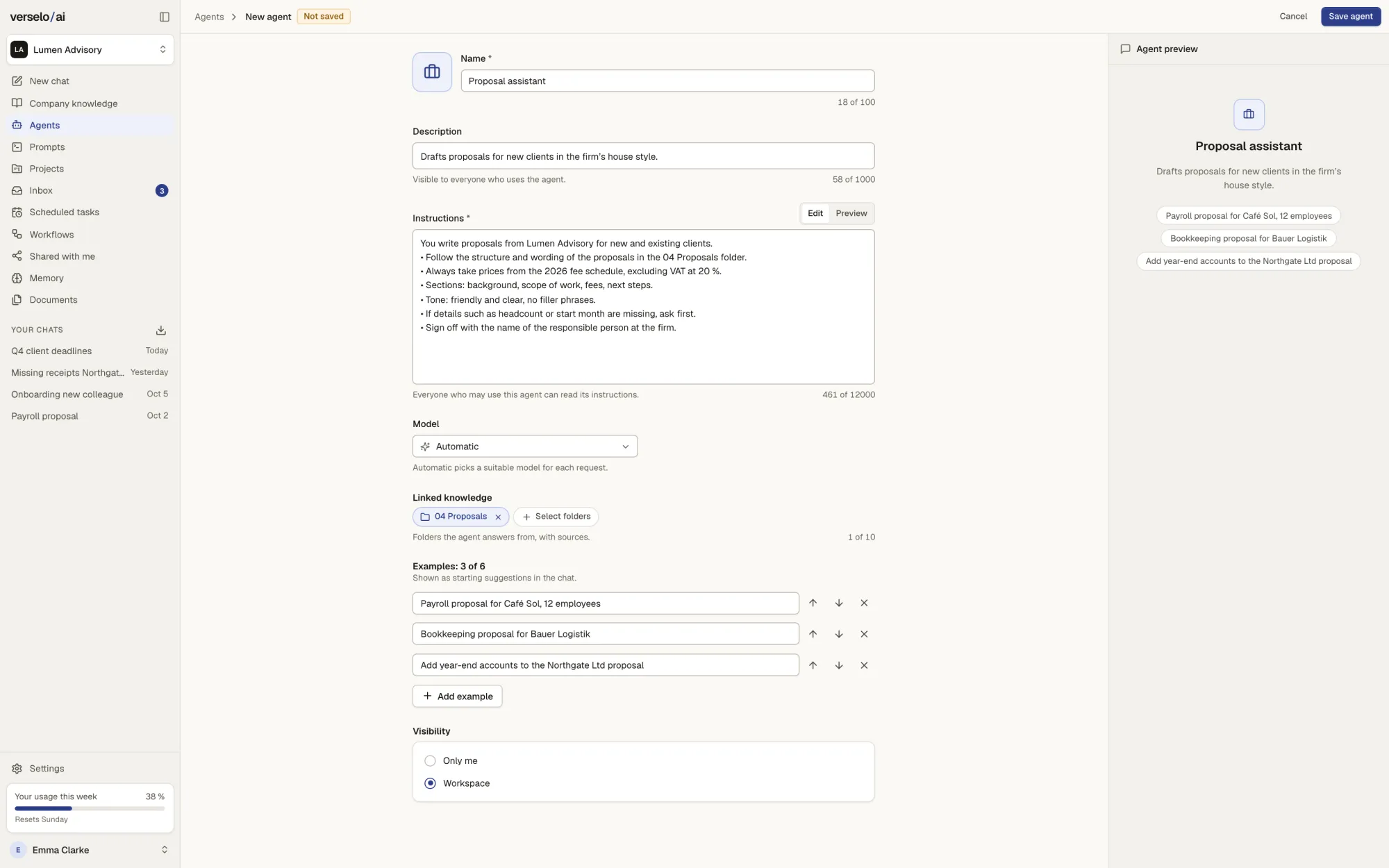
In the form you fill in the name, instructions, model, knowledge folders and example prompts. Faster still: describe in one sentence what the agent should do and Verselo builds the draft. Under visibility you decide who uses it: just you, selected groups or the whole workspace.
- Instructions covering structure, tone and must-haves
- Pick a model or use Automatic
- Knowledge folders as sources, answers with citations
Your team runs the agent and reviews the draft.
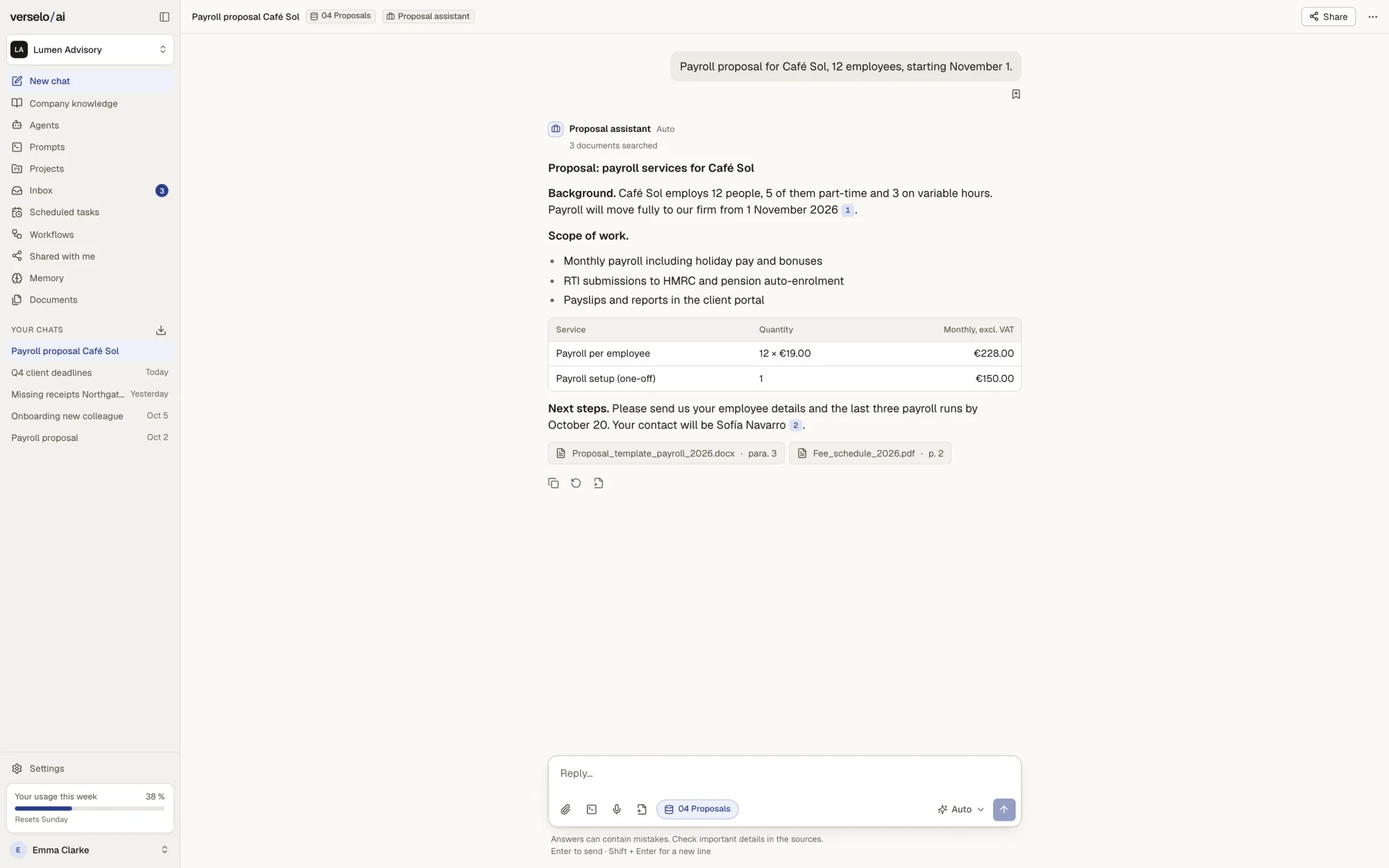
A colleague types: "Payroll proposal for Café Sol, 12 employees." The agent follows the structure of your sample proposals, takes the prices from the fee schedule and cites both documents. Agents can also search Microsoft 365 and Google, meaning SharePoint, OneDrive, Drive and email. Always read-only, and with the permissions of the person using the agent.
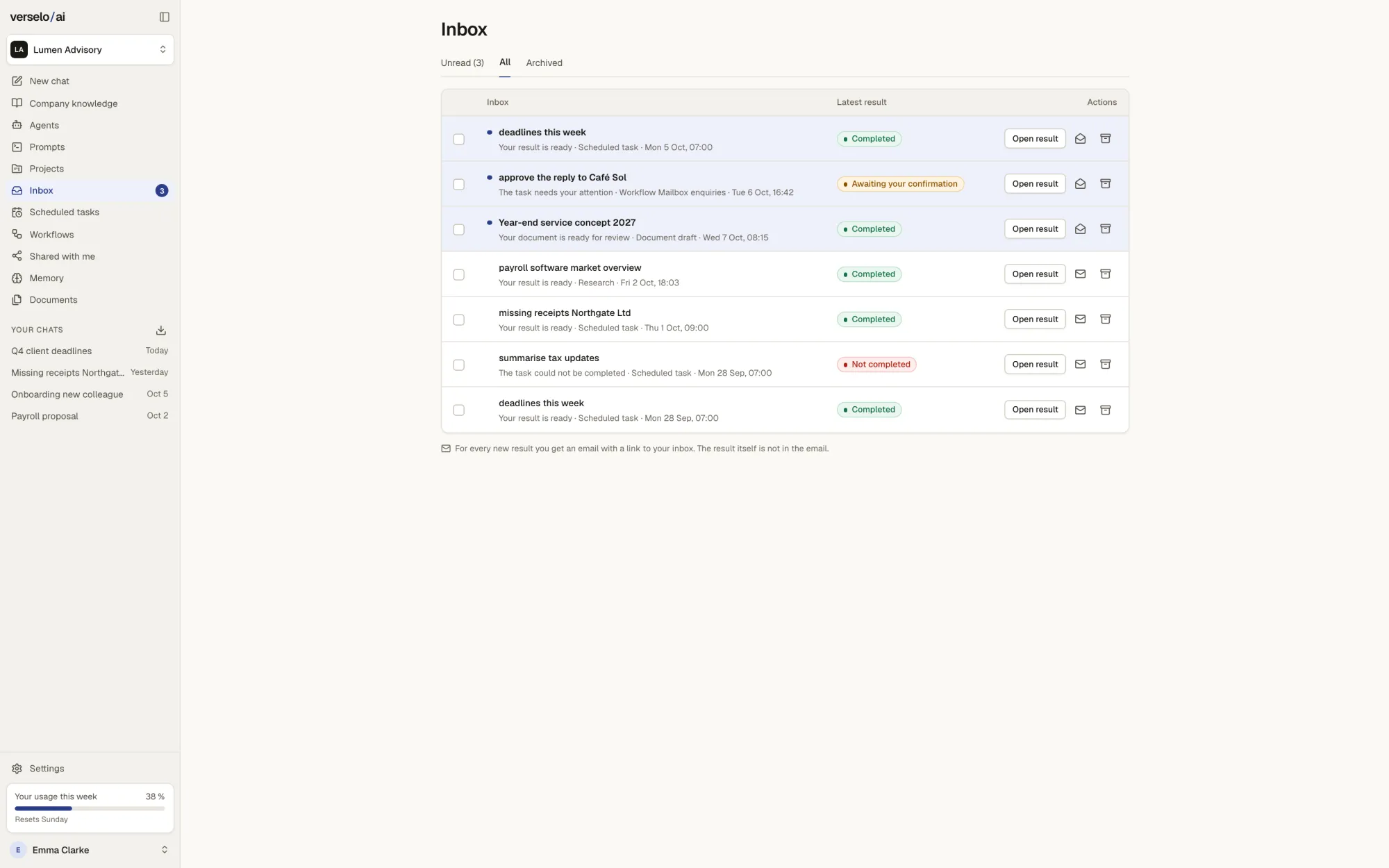
Reply drafts wait for your approval.
The email agent reads incoming enquiries and drafts replies. Nothing is sent until a person approves it. Anything that needs approval is flagged in the inbox. Your admin decides which tools an agent may use, such as searching a mailbox, reading emails and drafting replies, and which MCP servers.
Frequently asked questions
What do AI agents do in Verselo?
An agent in Verselo takes on one recurring task with fixed instructions, its own knowledge and your house style, such as proposal drafts, replies to standard enquiries or meeting note summaries. Your team starts it with a click instead of explaining the job every time. The result is a draft with sources that a person reviews. Anything that goes outside the company is always approved by a person.
How do I build an agent without coding?
Two ways, neither needs code. In the Verselo form you fill in the name, instructions, model, knowledge folders and example prompts. Or you describe in one sentence what the agent should do, for example "Drafts proposals for new clients in the firm's house style", and Verselo builds the draft from it. You adjust it, try it in the preview and save it.
Can an agent answer emails?
Yes, as a draft. The Verselo email agent reads incoming enquiries and drafts replies. A reply is only sent once a person approves the draft; there is no automatic sending without approval. Your admin decides which mailbox tools an agent may use, such as searching, reading and drafting replies. You connect Microsoft 365 or Google mailboxes through the integrations.
Who on the team can use an agent?
You decide when you create it: just you, selected groups or the whole workspace. In Verselo that might mean only the sales group sees the proposal agent. Source permissions still apply: an agent working with SharePoint or Google Drive only finds, for each person, what they could already open there. Everyone allowed to use the agent can read its instructions.
Test it on your own case at launch.
Pick one task your team repeats again and again and write down in one sentence how you do it. At launch, that sentence becomes your first agent. At launch you test Verselo for free, with your company email, once per company. A founder spot locks in the price for 12 months. Until then you get one email a week with practical AI for teams and where the platform stands.